
|
|
|
|
DiskSavvy GUI Screenshots
DiskSavvy Server GUI Application The DiskSavvy Server GUI application provides the user with the ability to analyze one or more disks, directories, network shares or NAS storage devices, categorize and filter disk space analysis results, save disk space analysis reports to the HTML, PDF, Excel, XML, text or CSV formats, perform file management operations and much more.  Disk Space Analysis Profile Dialog The disk space analysis profile dialog allows one to specify disks, directories and/or network shares to analyze and provides the ability to configure advanced disk space analysis options.  Disk Space Analysis Categories and Filters DiskSavvy is capable of categorizing and filtering disk space analysis results by the file type, size, user name, file extension, etc. The bottom part of the main GUI application shows the available file categories and allows one to set one or more file filters, generate various types of pie charts, save disk space analysis reports and perform file management operations on filtered disk space analysis results. 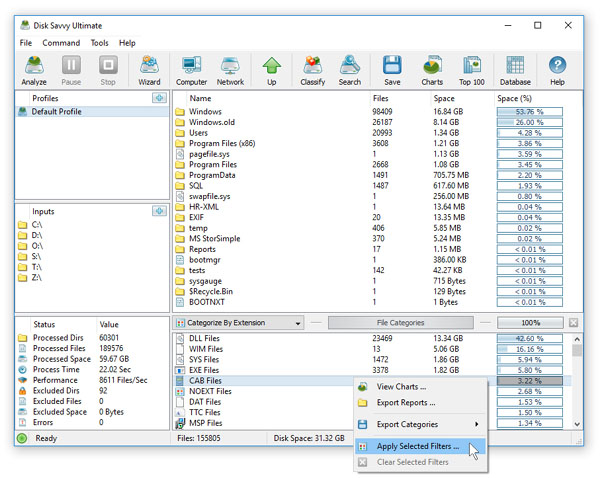 Disk Space Usage Pie Charts The pie charts dialog is capable of showing the amount of used disk space and the number of files per directory, file extension, file type, user name, last access, modification and creation dates, etc. In addition, the user is provided with the ability to copy the chart image to the clipboard allowing one to easily integrate DiskSavvy charts into user-custom presentations and documents. 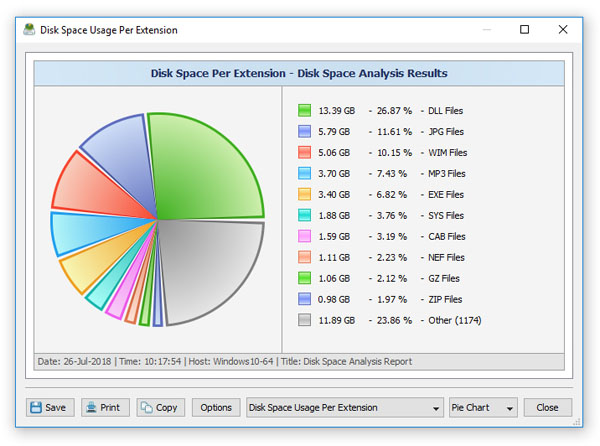 File Classification Results DiskSavvy provides the user with the ability to classify disk space analysis results using a number of file classification plug-ins allowing one to understand what types of files are using the disk space in one or more disks or directories. 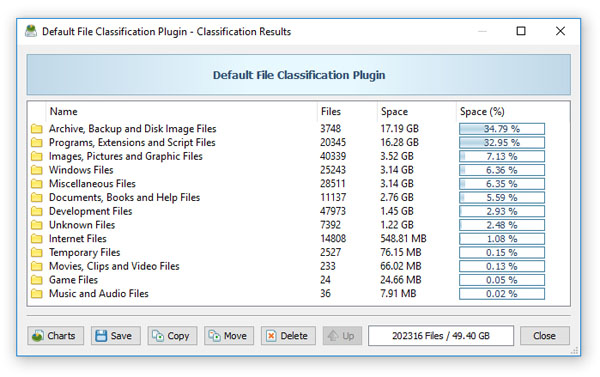 Analyzing Network Servers and NAS Storage Devices DiskSavvy allows one to scan the network, discover network servers and NAS storage devices, automatically detect all accessible network shares and analyze disk space usage in hundreds of network servers and NAS storage devices. 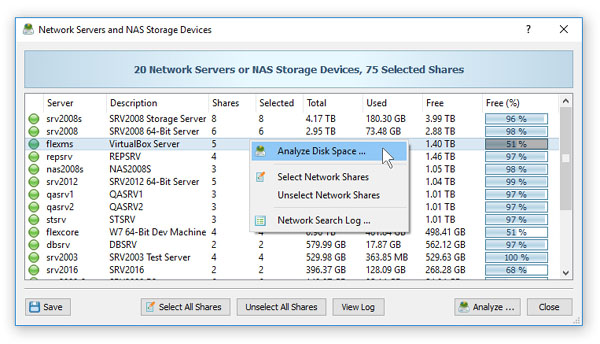 Disk Space Analysis Options The disk space analysis options dialog provides the ability to set the default report title, the maximum number of report levels, the maximum number of files per directory and the disk space analysis results sorting mode. In addition, the disk space analysis options dialog allows one to enable processing and display of files user names. 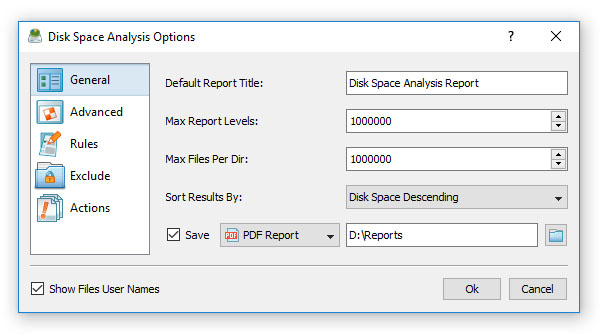 Advanced Disk Space Analysis Options The advanced disk space analysis options dialog allows one to control the default report host name, the number of parallel directory scanning threads, the directory scanning mode, the disk space analysis performance mode and the disk space counting mode. 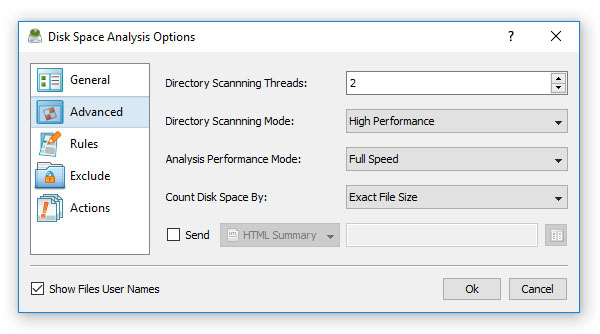 Disk Space Analysis Rules The disk space analysis rules dialog provides the ability to analyze files matching one or more user-specified file matching rules. For example, the user can analyze disk space usage for all types of images and picture files with the file size more than 10 MB that were modified during the last month. 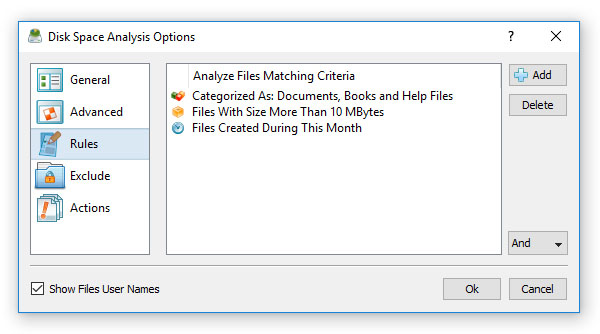 Exclude Directories From Disk Space Analysis The disk space analysis exclude dialog allows one to exclude one or more subdirectories from the disk space analysis process. In addition, the user is provided with the ability to use flexible exclude macro commands capable of excluding multiple directories according to user-specified rules.  Disk Space Analysis Command Line Utility The DiskSavvy command line utility is capable of performing disk space analysis operations, provides the ability to save HTML, PDF, Excel, text, CSV and XML reports and export disk space analysis results to a centralized SQL database.  Disk Space Analysis Server DiskSavvy Server provides a client GUI application allowing one to control one or more servers locally or through the network. The client GUI application provides all features available in the DiskSavvy desktop GUI application and additional server-only capabilities allowing one to perform multiple disk space analysis operations simultaneously, schedule periodic disk space analysis operations, keep a history of disk space analysis reports in a built-in reports database and perform advanced disk space usage trend analysis operations on reports stored in the reports database. 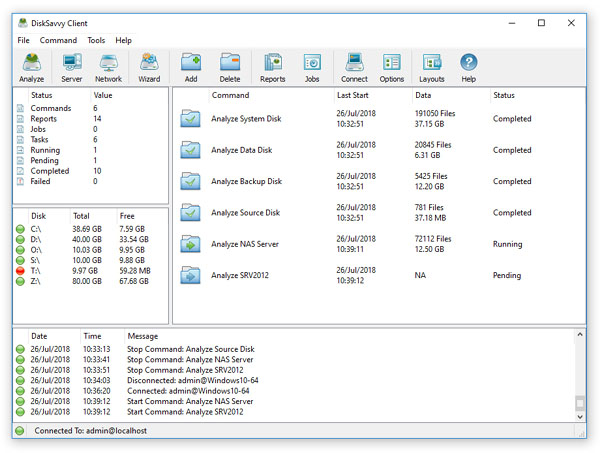 Analyzing Disk Space Usage Per Host DiskSavvy Server and DiskSavvy Enterprise provide the ability to show the amount of the used disk space and the number of files per host allowing one to gain an in-depth visibility into the disk space usage statistics across the entire enterprise.  Analyzing Disk Space Usage Per User DiskSavvy Server and DiskSavvy Enterprise provide the ability to analyze files owned by multiple users on one or more servers or NAS storage devices and display charts showing the amount of the used disk space and the number of files per user. 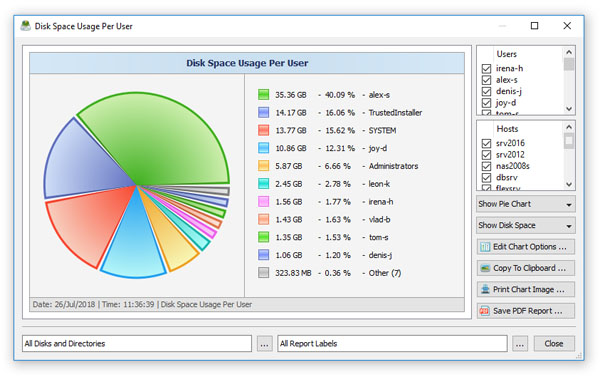 Disk Savvy Enterprise Web-Based Interface In addition to the client GUI application, DiskSavvy Enterprise provides a web-based management interface, which allows one to perform disk space analysis operations, schedule periodic analysis jobs, save disk space analysis reports and submit results into a centralized SQL database using a regular web browser locally or via the network. 
|
DiskSavvy News
|


