DiskSavvy Server provides the ability to display a flat list of the top 100 directories sorted by the amount of the used disk space for one or more
disk space analysis reports saved in the built-in reports database. This capability allows one to display a consolidated report showing the top 100
directories sorted by the amount of the used disk space for a number of servers or NAS storage devices.

In order to display the top 100 directories, press the 'Reports' button located on the main toolbar, select a number of disk space analysis reports,
press the right mouse button and select the 'View Top Directories' menu item. For each directory in the list, the top 100 directories dialog shows
the full directory name, the name of the server or NAS storage device the directory is hosted on, the total number of files in the directory and
all subdirectories and the total amount of the disk space used by files in the directory and all subdirectories.
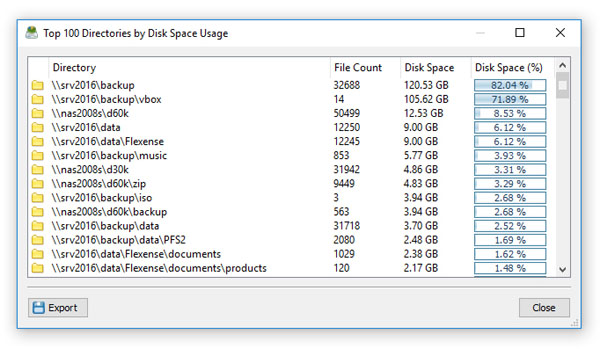
In addition, DiskSavvy Server allows one to save the list of the top 100 directories to a text report file. In order to save the list of the top 100
directories, press the 'Export' button located on the top 100 directories dialog, enter a file name to export the report to and press the 'Save' button.


